



 Scott Henvey
Investment Interest Expense Is Still Deductible, but That Doesn’t Necessarily Mean You’ll Benefit
As you likely know by now, the Tax Cuts and Jobs Act (TCJA) reduced or eliminated many deductions for individuals. One itemized deduction the TCJA...
Managing your taxes has become much easier thanks to the IRS Online Account portal. Whether you need to make a payment, download a transcript, or retrieve your Identity Protection PIN, everything is now available in one secure place.
This guide walks you through the essential features so you can quickly find what you need.
Visit the IRS Online Account page here:
Online Account for Individuals – IRS.gov
You’ll need to sign in using your ID.me or Login.gov credentials. You may have already set up these credentials if you have an online account with the Social Security Administration. If you haven't created an account yet, the website will guide you through identity verification - you will need your driver's license and a mobile phone to set it up.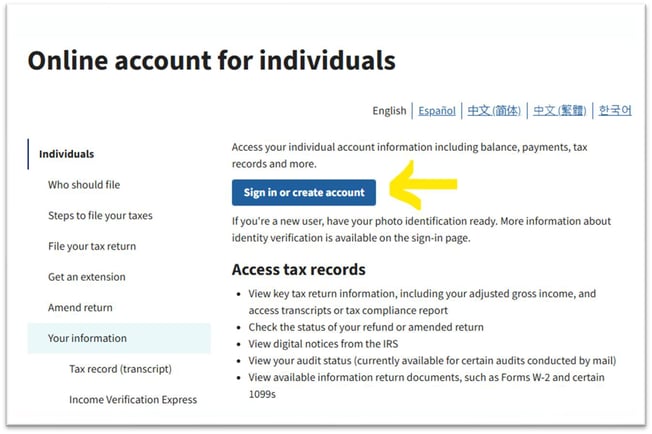
Once logged in, your IRS dashboard allows you to access several important tools. Below is a breakdown of the most commonly used features.
From your homepage:
Select “Make a Payment” in the bottom-left corner.
Choose the type of payment you need to make.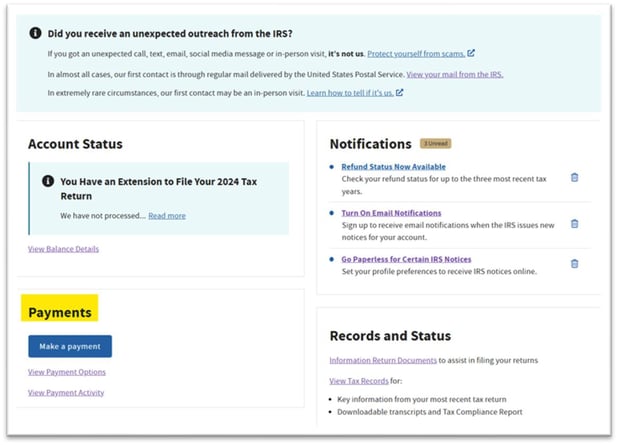
Select the tax year
Choose Income Tax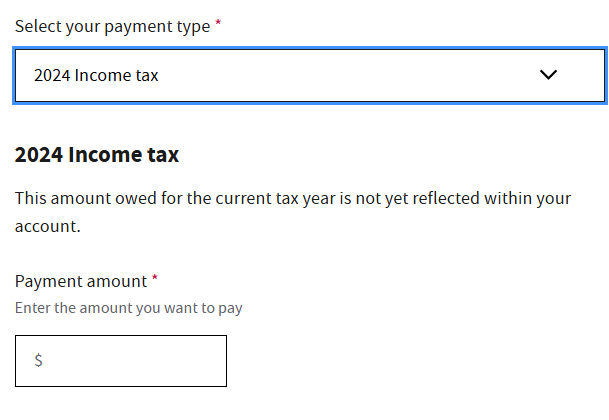
Make the following selections:
Reason for Payment: Estimated Tax
Apply Payment To: Appropriate Tax Year
Form: 1040-ES
These payments post immediately to your IRS account.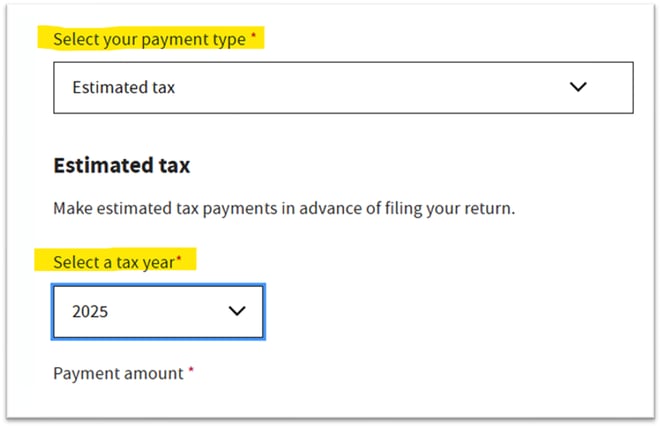
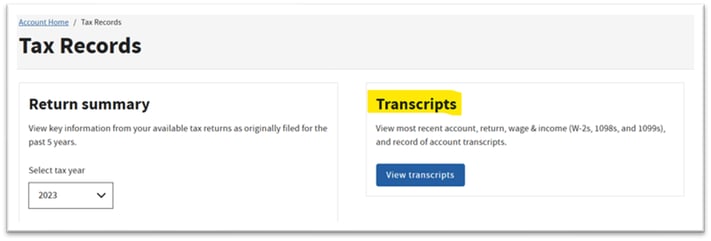
Transcripts are often needed for tax prep, loans, income verification, and more.
In your online account:
Go to “Get Transcript”
Choose the tax year
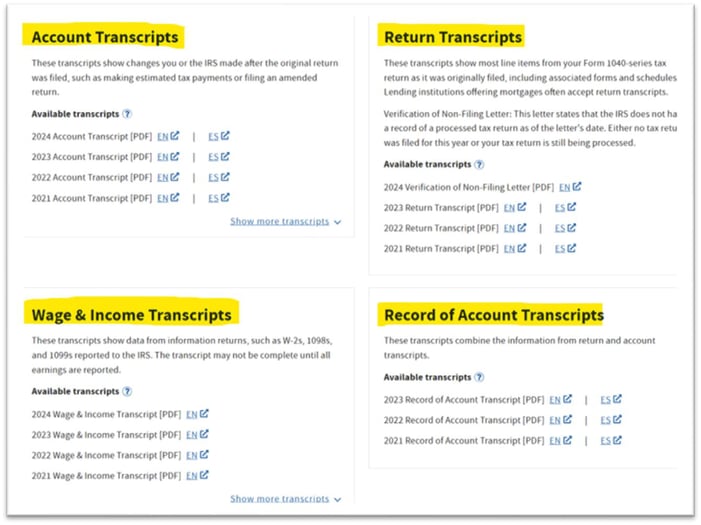
Select the transcript type you need:
Account Transcript
Return Transcript
Wage & Income Transcript
Record of Account Transcript
You can view or download them instantly.
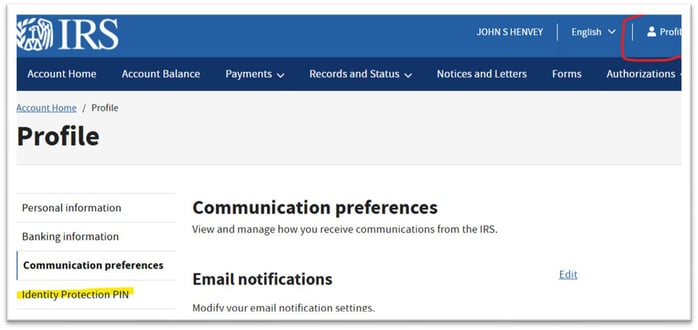
If the IRS assigned you an Identity Protection PIN (IP PIN) and you don’t have the mailed copy:
Click your Profile button (top right).
Look for the IP PIN section.
Your active PIN will appear, and you may download it if needed.
Your IRS online account updates daily, so it's a reliable way to check balances, notices, and payment history.
Always log out after using the portal - your data is sensitive.
Keep your login credentials secure or store them in a password manager.

As you likely know by now, the Tax Cuts and Jobs Act (TCJA) reduced or eliminated many deductions for individuals. One itemized deduction the TCJA...

 Maurice La Verdure : May 10, 2024 9:40:23 AM
Most people are genuinely appreciative of inheritances, and who wouldn’t enjoy some unexpected money? But in some cases, it may turn out to be too...